Mac OpenMP安装
OpenMP
brew install libomp
OpenMP 被安装在/usr/local/Cellar的目录下
CLion设置
CLion 默认用 Xcode 自带的 Clang,它不支持 OpenMP。
你必须让 CLion 使用 Homebrew 安装的 Clang。
在终端确认路径:
brew install llvm brew --prefix llvm
Apple Silicon 下通常是:
/opt/homebrew/opt/llvm
把它加入 PATH,例如在 ~/.zshrc 里:
export PATH="/opt/homebrew/opt/llvm/bin:$PATH"
export LDFLAGS="-L/opt/homebrew/opt/llvm/lib"
export CPPFLAGS="-I/opt/homebrew/opt/llvm/include"
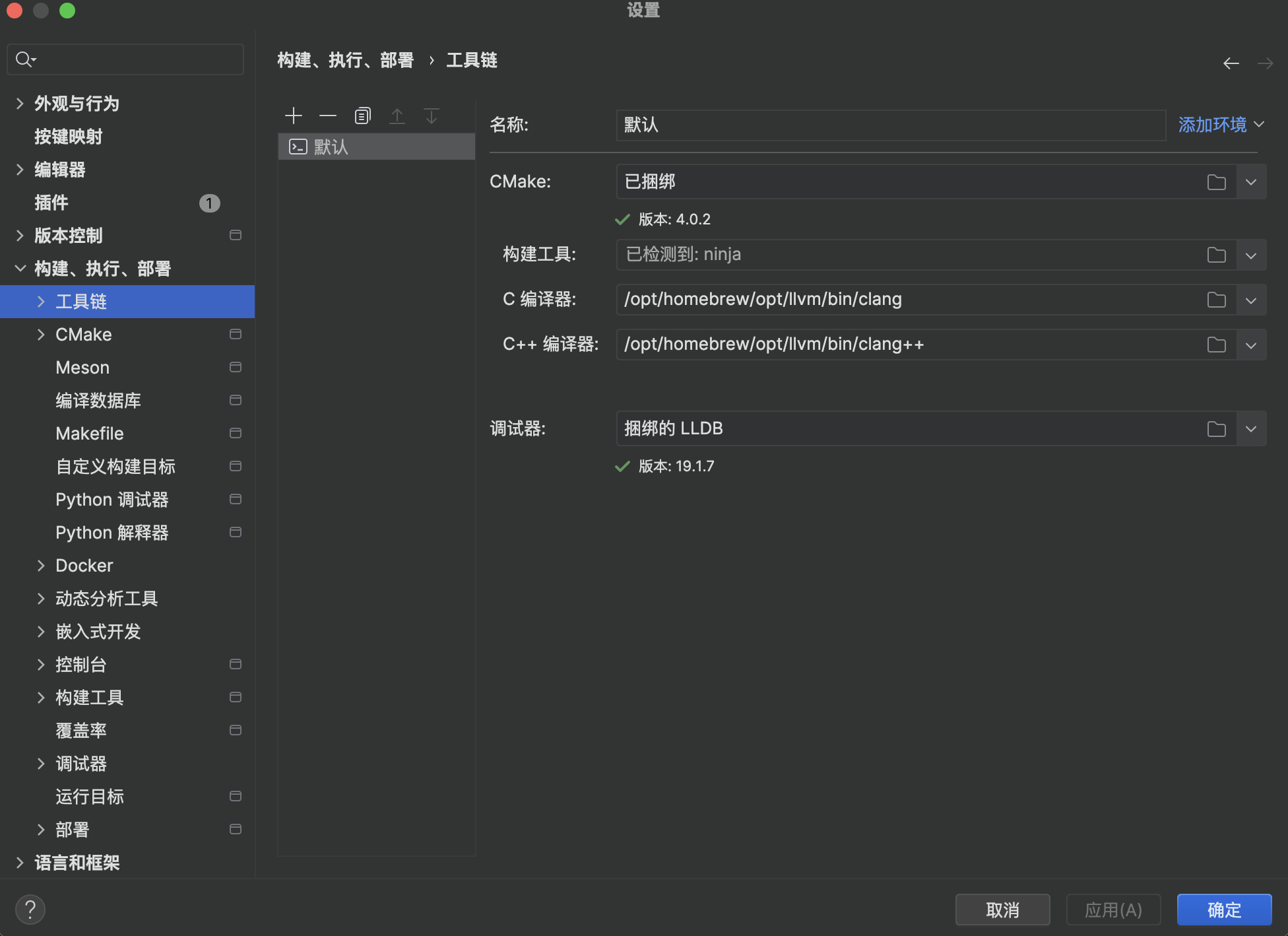
然后在 CLion Toolchains 里,把 C Compiler / C++ Compiler 指向:
/opt/homebrew/opt/llvm/bin/clang
/opt/homebrew/opt/llvm/bin/clang++
这样 CLion 才会用支持 OpenMP 的编译器。
链接 OpenMP 库
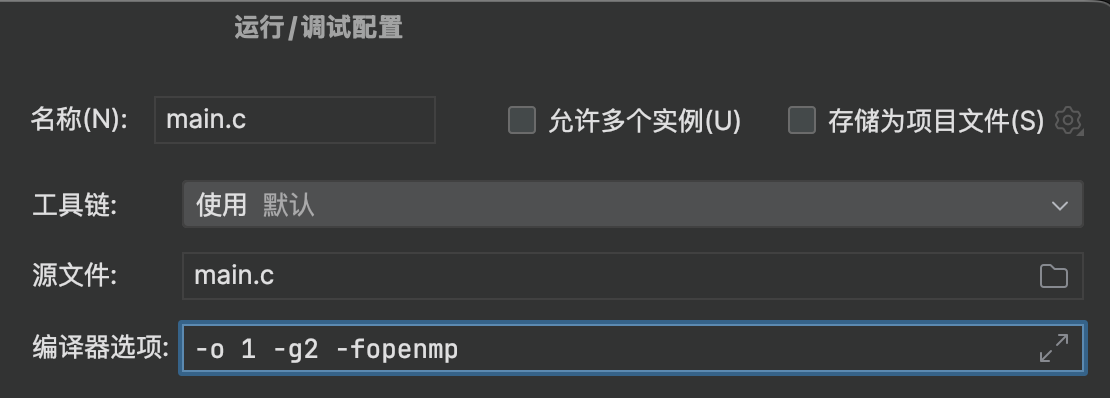
默认情况下 OpenMP 不会被自动链接
-fopenmp
验证
#include <stdio.h>
#include <omp.h>

int main() {
    #pragma omp parallel
    {
        printf("Hello from thread %d\n", omp_get_thread_num());
    }
    return 0;
}